

Lead Calls
1. CRM
1.1 Lead Calls
If anyone of company employees or customer service making acall with lead you can register or save call details in the system. User can add/delete and edit lead call from this screen as shown in figure 1.
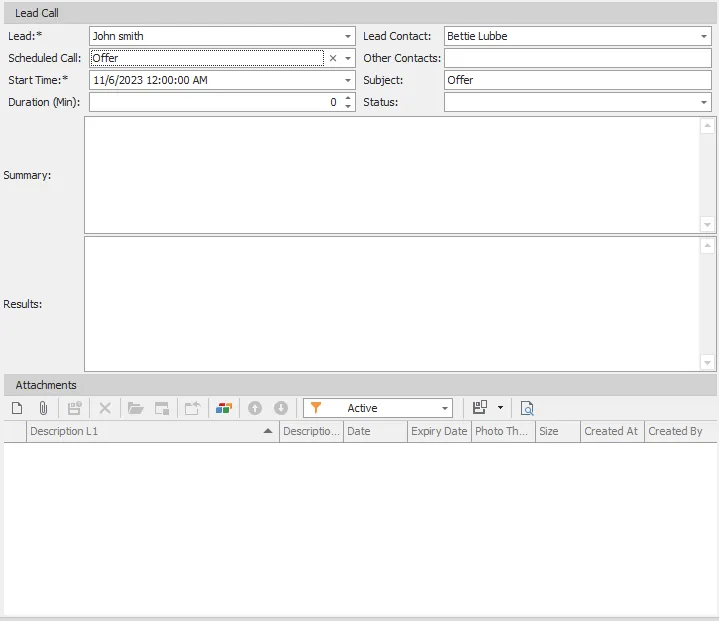
figure 1
| # | Field | Description |
|---|---|---|
| 1 | Lead | Lead who making call with us, this is mandatory field |
| 2 | Scheduled Call | Lead scheduled call purpose |
| 3 | Start Time | Call Start date and time, this field is mandatory |
| 4 | Duration (Min) | Duration of call by minutes |
| 5 | Lead Contact | Lead contact who make a call with us |
| 6 | Other Contacts | Other lead contacts if exist |
| 7 | Subject | Lead call subject |
| 8 | Status | Lead Call status is it done, no answer or busy |
| 9 | Summary | Call summary |
| 10 | Results | Call results |
| 11 | Attachments | Call attachments if you want |